Everything You Need To Know About Google Ads Lead Form Extensions
If you’re ready to learn how to use Google Lead Extensions, here’s a detailed step-by-step explanation to help you get going quickly.
The day is finally here! Google has rolled out “Lead Extensions” in beta stage and, similar to Facebook lead generation ads, they allow you to capture customer information without having to drop them into a landing page. This can be much more effective for certain types of businesses, especially if you have a business where customers don’t require as much information in order to provide their contact info.
What type of businesses are lead form extensions perfect for?
Lead form extensions are perfect for businesses whose products and services are straightforward and simple. I.e. no heavy e-commerce. For instance, these extensions will work great for lawn care companies, roofing contractors, moving companies, snow plowing contractors and more.
Other reasons lead form extensions are great:
- These might give searchers an easier way to contact you, therefore increasing the likelihood that they’ll do so
- You can have the leads sent directly to your email or DMS
- You’ll likely capture emails and phone numbers from customers who would otherwise have visited your website and “bounced” off
How do lead form extensions work?
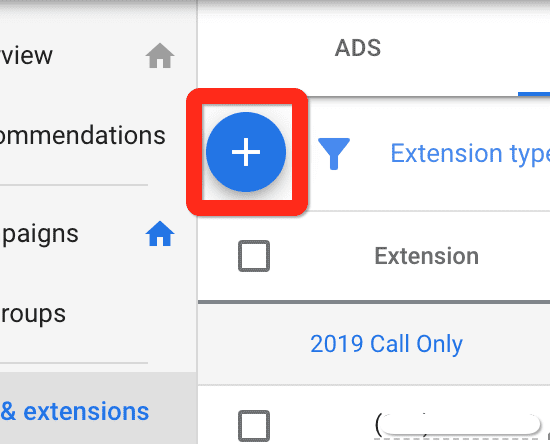
Like many other ad extensions, you’ll be able to set up lead extensions in your Google Ads account at the same time as your other extensions (like sitelink extensions, callout extensions, and more). In order to set up a lead form extension, simply click the blue and white “plus” icon under “Ad Extensions” in Google Ads:
And select “Lead Form Extensions”
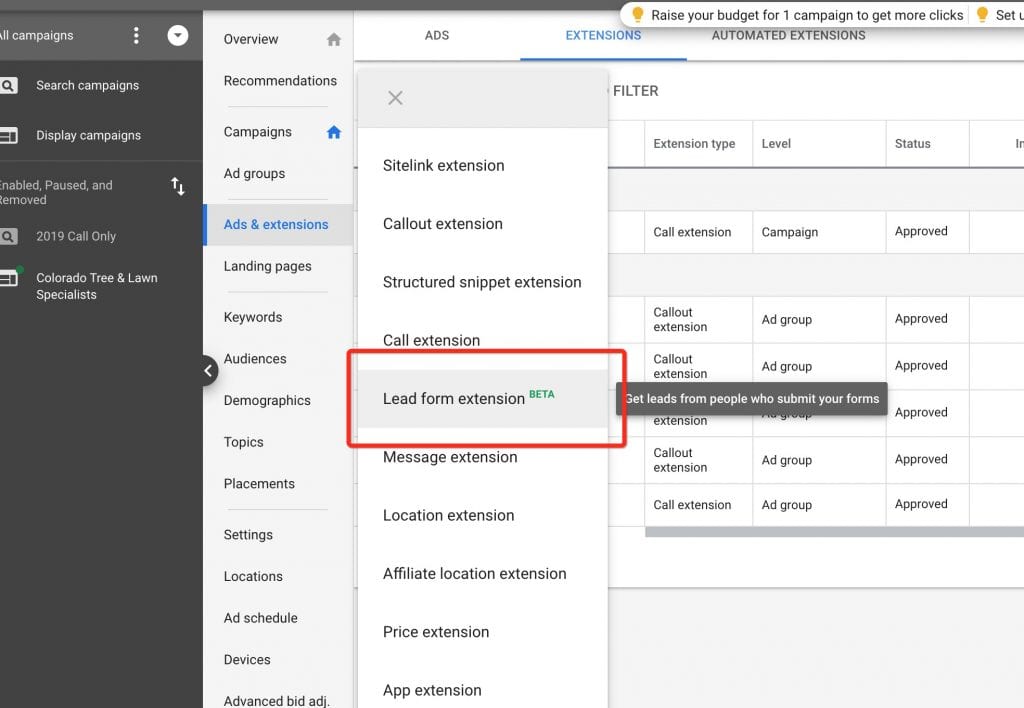
Accept the terms of service, and begin creating your form.
Note: You will need to provide a link to a privacy policy on your website in order to use lead form extensions. If you need a great privacy notice, here’s a link to our privacy policy.
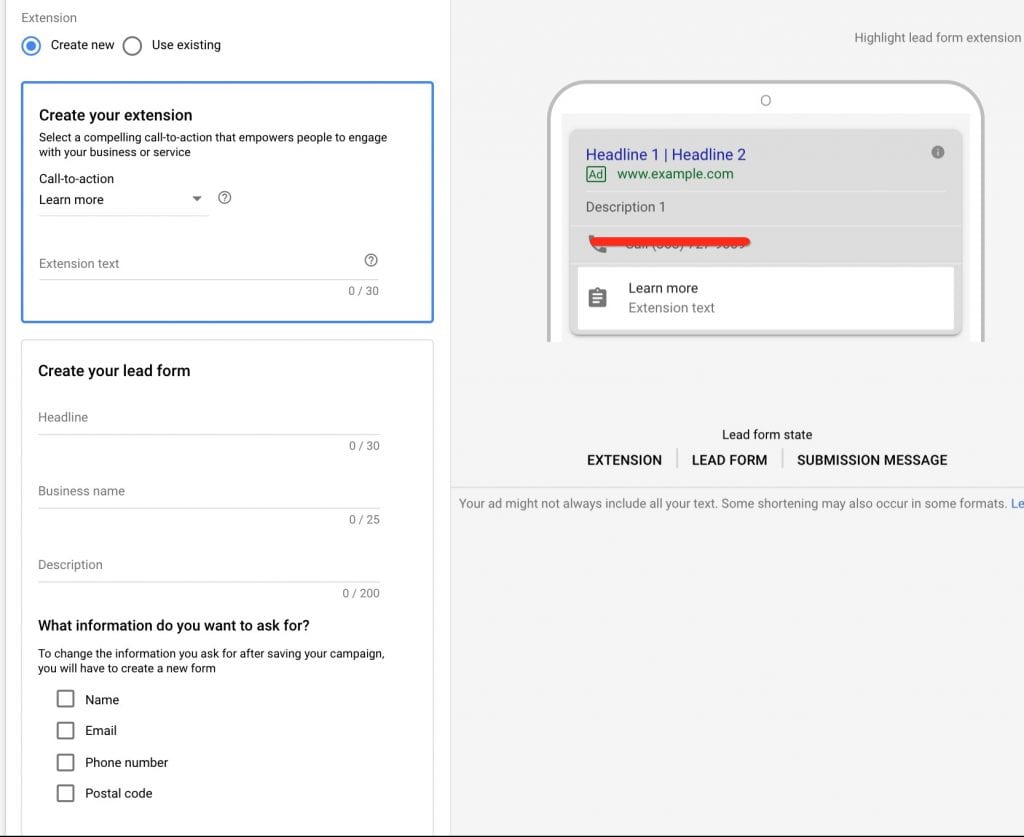
Helpful tip: As with any form, your volume will increase if you request less information. Therefore, if you’re looking for volume, it’s a great idea to ask for only the required info. For instance, if there’s no good reason to request a phone number, don’t do so. And if the searcher’s city of residence doesn’t matter to your business, then don’t ask for it. Sure, maybe it would be “nice to know” where your customers are from, but some people are private about their info and would prefer not to provide this info unless completely necessary.
Here is what the lead capture form creation interface looks like:
You can even customize your form with a picture, and can easily click “Recently Used” so you don’t have to mess with sizing requirements.
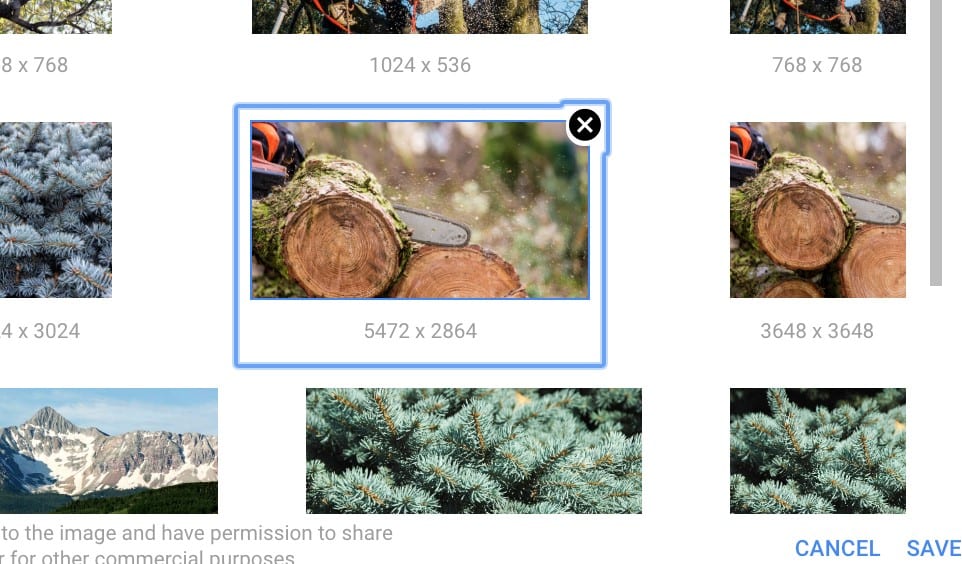
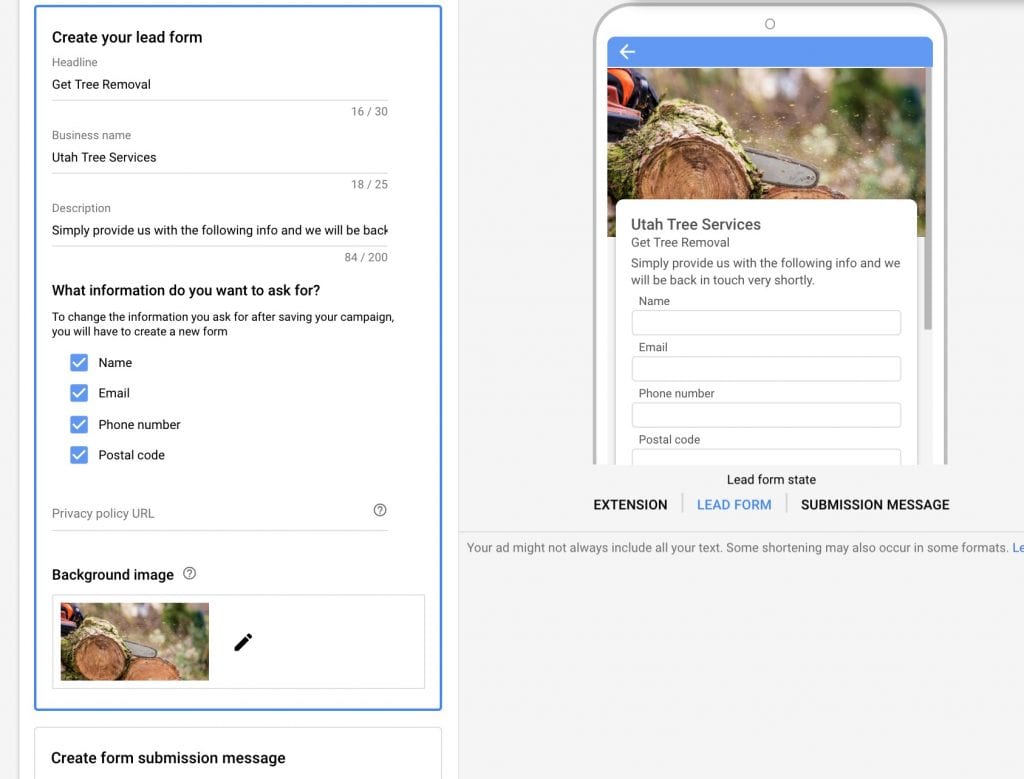
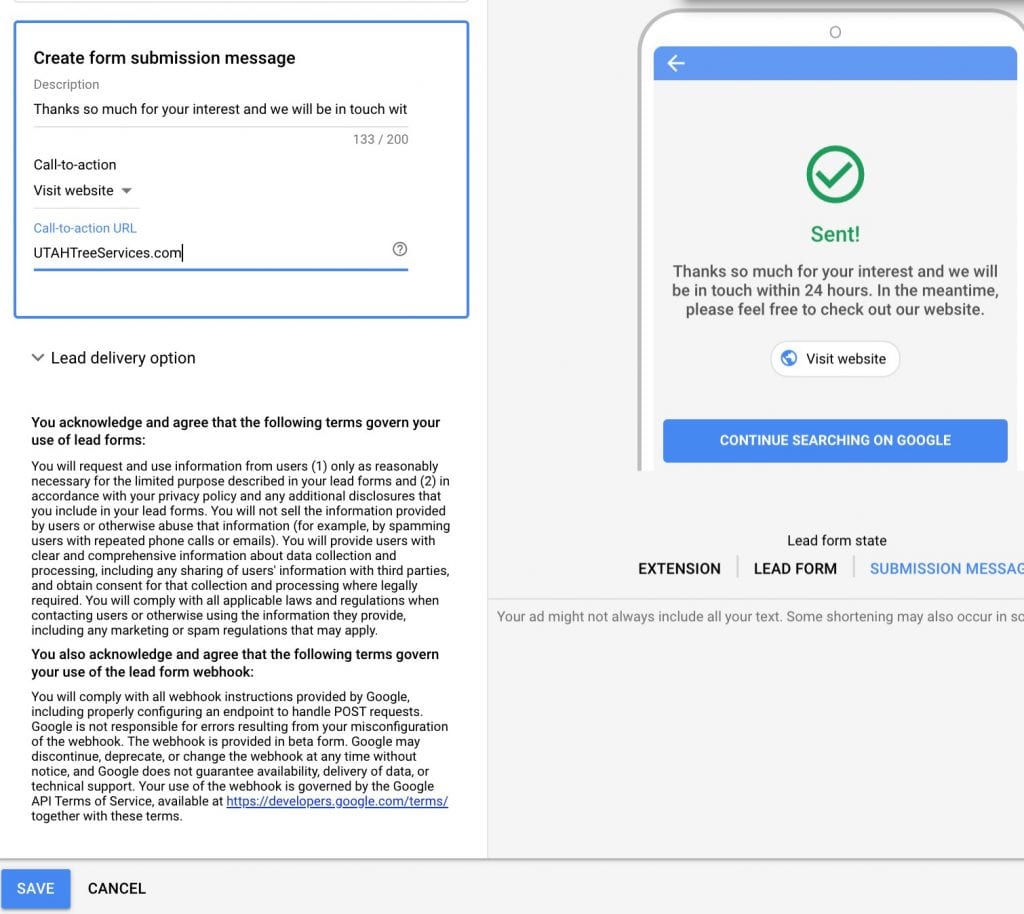
After all is said and done, you’ll find that you’d got yourself a visually appealing lead conversion form.
OK Great. So you’ve set up your lead forms and can now begin collecting leads. Now how do you receive the leads?
There are two methods for doing so:
- Go in and manually download your leads every day from Google Ads. In order to do this, just visit your “Ads and Extensions” and click Download leads. This will automatically create an Excel file with your leads.
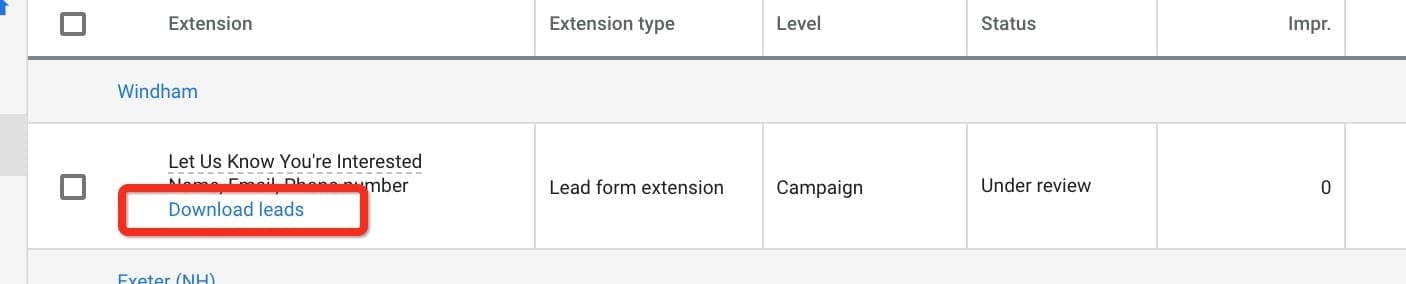
You can probably see the problems with this method (and there are many). First of all, manually downloading your leads every day is a huge pain in the butt. Second of all, there’s a good chance you’ll miss your window of opportunity with the customer if you don’t follow up soon after the lead was submitted. If you wait even a couple hours, most of your leads will have lost interest in your business.
- Use a tool like “Zapier” to integrate with Google which will automatically grab your leads and drop them directly into your email. This is a straightforward process and involves setting up a “Webhook” and setting the tool to send an email every time a lead is created.
For more information on setting up Lead Ad Extensions, please reach out and we’ll get right back in touch with you to get you up and running.
Book a free strategy call
Let’s face it… marketing is tough. There are many moving parts, and you might not know where to focus your energy. Let us review your existing digital strategy and identify your top opportunities for growth, at no cost or obligation.