
1 by 1 pix

How to Get to the Top of Google Maps Using Google Ads

Oct 26, 2024 | Knowledge, Tik Tok

TikTok for Online Businesses

How to Get to the Top of Google Maps Using Google Ads

If you’ve ever wondered how certain businesses appear at the top of Google Maps when you search for terms like “drain cleaning near me,” the secret often lies in Google Ads. Specifically, it’s about utilizing the location extension feature. Here’s a step-by-step guide on how to leverage this tool to boost your visibility on Google Maps.

What is the Location Extension?

The location extension in Google Ads allows your business’s address to appear alongside your ads, making it easier for potential customers to find you on Google Maps. By setting up this extension, your business can show up as a sponsored listing, increasing its chances of being seen at the top of local search results.
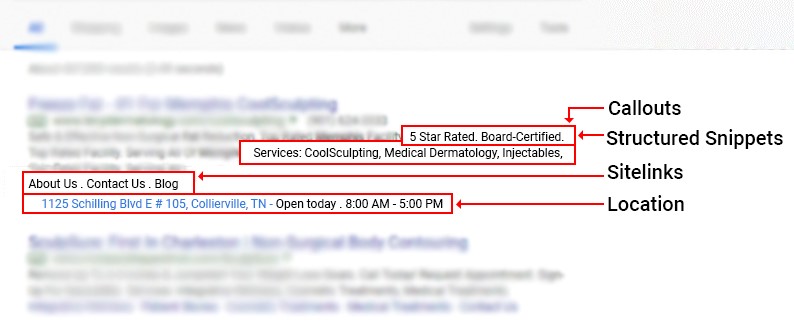
How to Set Up Location Extensions

  1. Log In to Google Ads: Ensure you are logged in with the email address that has access to both your Google Business profile and Google Ads account.
  2. Access Your Google Ads Campaign: Navigate to your Google Ads campaign dashboard.
  3. Go to Assets: Scroll down and click on ‘Assets.’
  4. Add a Location Extension: Click on the plus sign (+) and select ‘Locations.’
  5. Connect Your Business Profile: From the dropdown menu, choose the Google Business profile you want to connect to your Google Ads account.
  6. Save and Confirm: After selecting your profile, it will appear in your Google Ads account. Confirm and save your settings.
Why Use Location Extensions?

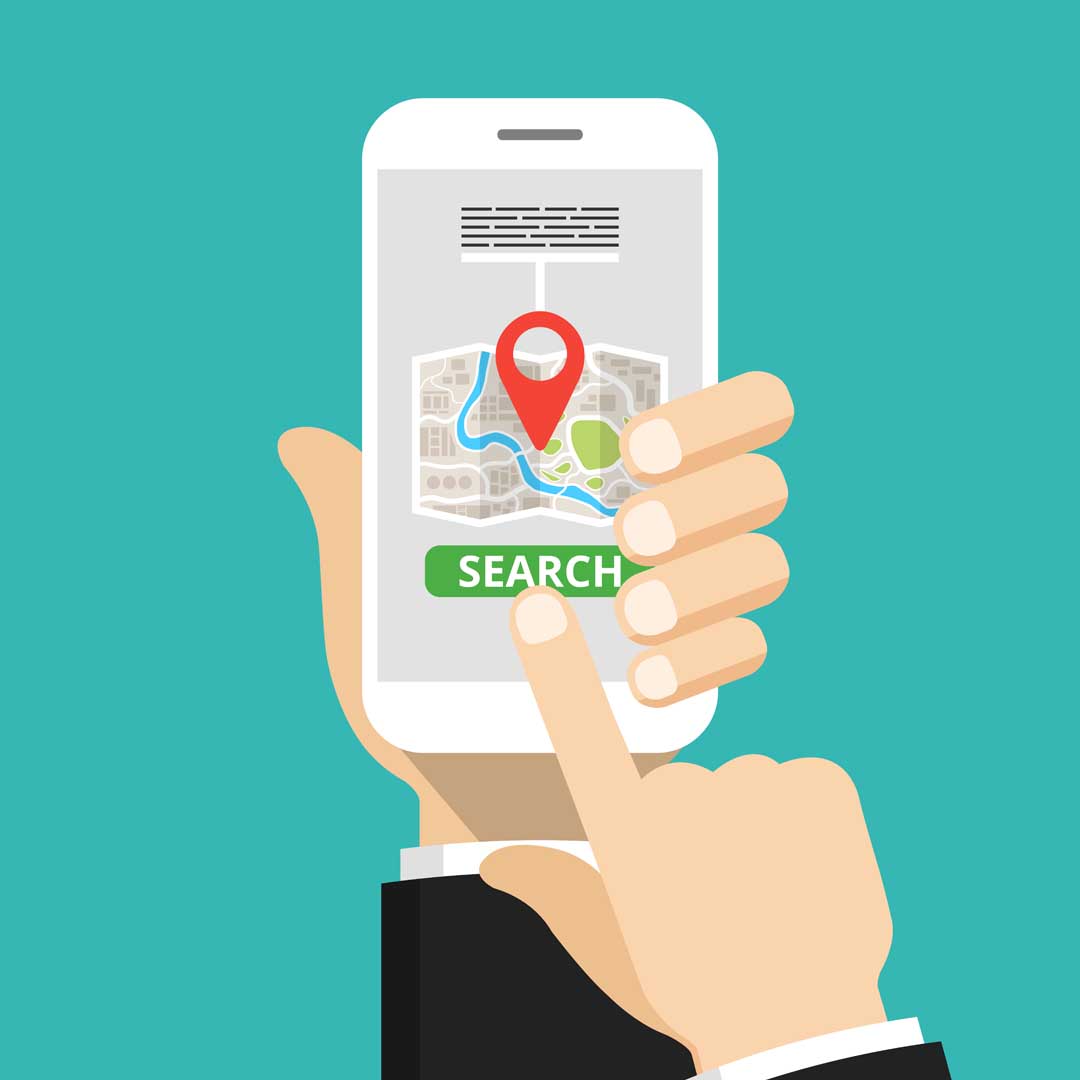
By integrating your Google Business profile with your Google Ads account through location extensions, your business is more likely to appear at the top of local search results on Google Maps. This visibility can drive more local traffic to your business, helping you stand out in a crowded market.

Want to learn other ways to optimize your Google Business Profile? Get our Google Business Profile Optimization Checklist here, https://scdigital.com/free-resource-how-to-optimize-your-google-business-profile/

Get Your No-Cost Digital Success Blueprint

"*" indicates required fields

This field is for validation purposes and should be left unchanged.
This field is hidden when viewing the form

Recent Blogs

How Internal Linking Helps Google Understand Your Website

When businesses think about SEO, they often focus on keywords, backlinks, and creating new content. One important strategy is easier to overlook: internal linking. Internal links connect one page on your website to another page on the same website. When used...

What Does a Good Cost Per Lead Actually Look Like?

What Does a Good Cost Per Lead Actually Look Like? If you run digital advertising, you’ve probably heard the question: “What’s a good cost per lead?” It sounds like there should be a simple answer. Maybe $25 is good. Maybe $50. Maybe $100. The truth is, there is no...

What Happens If You Stop Doing SEO?

Many business owners view SEO as a project with a finish line. Once they start ranking on Google, it's tempting to think the hard work is done. Unfortunately, that's not how search engines work. SEO isn't a one-time task—it's an ongoing strategy. The digital landscape...

How Often Should Businesses Post on Social Media?

One of the most common questions businesses ask is, "How often should we post on social media?" The answer is not as simple as picking a number. While posting frequency matters, consistency and quality matter even more. Posting every day with content that provides...

Service Areas vs. Physical Address: Which Should You Choose?

One of the most common questions business owners ask when setting up or optimizing their Google Business Profile is whether they should display a physical address or operate as a service area business. The answer depends on how your business serves customers. Choosing...

How to Make Your Website AI-Friendly

The way people search for information is changing rapidly. Instead of clicking through pages of search results, many users are turning to AI-powered tools like ChatGPT, Google's AI Overviews, Gemini, and Perplexity to get direct answers to their questions. For...

How Google Ads and SEO Work Better Together

Many businesses view Google Ads and SEO as competing strategies. They often ask, "Should I invest in paid advertising or focus on organic search?" The truth is, the most successful businesses rarely choose one over the other. Google Ads and SEO each have unique...

Why Consistency Wins in Marketing

Many businesses approach marketing in bursts. They invest heavily for a few months, get busy with customer work, and then stop marketing altogether. When business slows down again, they restart the cycle, hoping for immediate results. While this approach is common, it...

What Are ChatGPT Ads?

As millions of people begin using AI tools like ChatGPT to search for information, business owners are asking an important question: "Can my business advertise on ChatGPT?" The short answer is yes, but probably not in the way you think. Unlike traditional search...

Why NAP Consistency Still Matters

If you've spent any time learning about local SEO, you've probably come across the term "NAP." NAP stands for Name, Address, and Phone Number, and it refers to the core business information that appears across your website, Google Business Profile, online directories,...

Categories